
GTA6 ArchivesConnect your AI

MCP connector

Your AI, now a GTA creator.

Add one URL to Claude, ChatGPT, Codex or Cursor, sign in and choose Allow. Your AI learns GTA hooks, thumbnails and clipping, searches the clip library and cuts videos on your account.

The connector is part of Pro. Sign in with your Pro account, or get Pro.

Server URL

https://gta6archives.com/mcp

Connect an app

Paste the URL, sign in, click Allow. Here is where that lives in each app.

Claude

claude.ai, Claude Desktop and the mobile apps. On Team and Enterprise plans an owner adds it first.

  1. Open Plugins, click Add and choose Add custom connector. On older versions it is under Customize, then Connectors.
  2. Type Omni as the name, paste the server URL into MCP server URL and click Continue.
    https://gta6archives.com/mcp
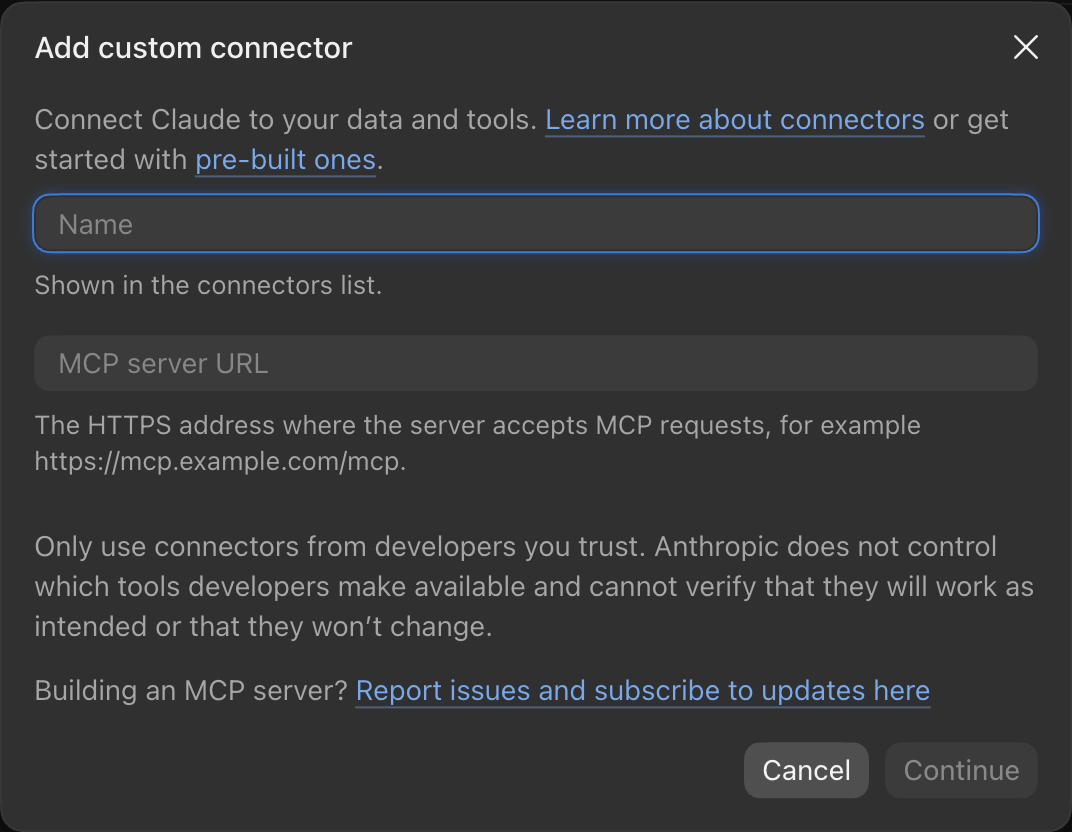
    Claude's Add custom connector dialog, with a Name field, an MCP server URL field and a Continue button
  3. When Claude asks you to connect, sign in to GTA6 Archives and choose Allow.
  4. Claude help

ChatGPT

The ChatGPT desktop app, or chatgpt.com with developer mode. On Business and Enterprise plans an admin may need to allow it.

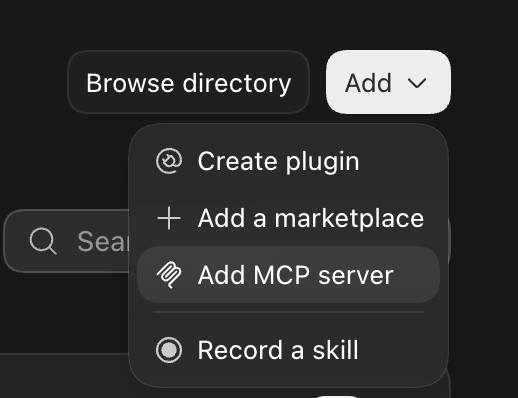
  1. In the desktop app, open Plugins, click Add and choose Add MCP server.The Add menu in ChatGPT's Plugins screen, with Add MCP server highlighted
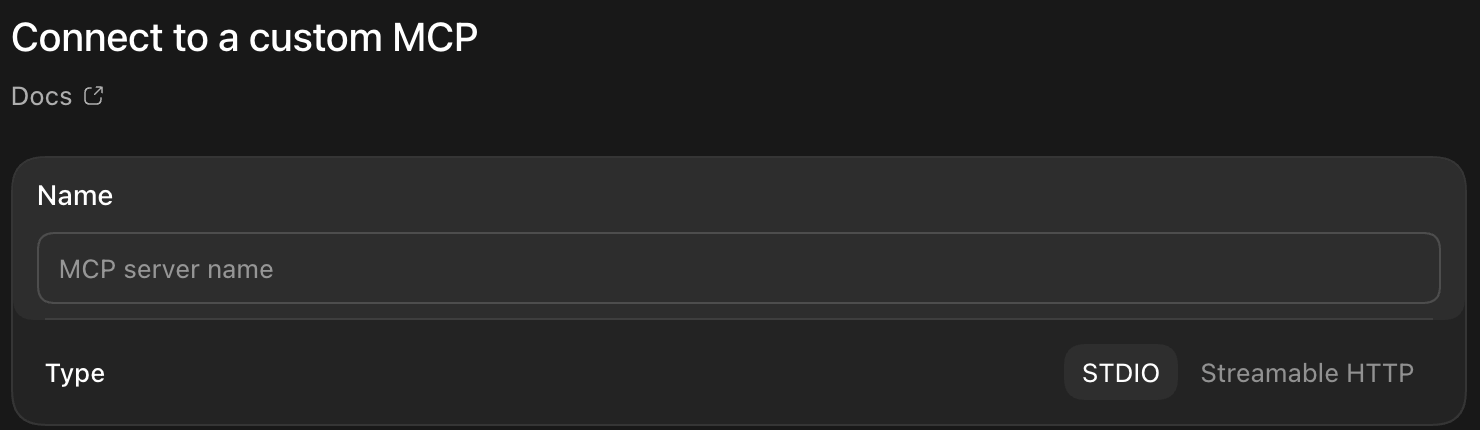
  2. Type Omni as the name, set Type to Streamable HTTP, paste the server URL and click Save.
    https://gta6archives.com/mcp
    ChatGPT's Connect to a custom MCP form, with a Name field and a Type switch between STDIO and Streamable HTTP
  3. Sign in to GTA6 Archives and choose Allow.
  4. On chatgpt.com instead: turn on Developer mode under Settings, Security and login, open Plugins, click +, name it Omni, paste the server URL and choose OAuth.
  5. ChatGPT help

Claude Code

In the terminal, for one project. Add --scope user to use it everywhere.

  1. Run this in a terminal:
    claude mcp add --transport http omni https://gta6archives.com/mcp
  2. In Claude Code, type /mcp, pick omni and choose Authenticate.
  3. Sign in to GTA6 Archives and choose Allow.
  4. Claude Code help

Codex

OpenAI's coding agent, in the terminal, the IDE extension or the desktop app.

  1. Run this in a terminal:
    codex mcp add omni --url https://gta6archives.com/mcp
  2. Then sign in:
    codex mcp login omni
  3. Sign in to GTA6 Archives and choose Allow.
  4. In the desktop app instead: Plugins, Add, Add MCP server, then the same form as under ChatGPT above.
  5. Codex help

Cursor

The editor. One click with the install link.

  1. Open the install link, or add this to ~/.cursor/mcp.json next to your other servers:
    { "mcpServers": { "omni": { "url": "https://gta6archives.com/mcp" } } }
    Add to Cursor
  2. In Cursor Settings, MCP, click Connect next to omni.
  3. Sign in to GTA6 Archives and choose Allow.
  4. Cursor help

OpenCode

Open source, in the terminal, with free models to pick from.

  1. Run this in a terminal:
    opencode mcp add omni --url https://gta6archives.com/mcp
  2. Then sign in:
    opencode mcp auth omni
  3. Sign in to GTA6 Archives and choose Allow.
  4. OpenCode help

Connected apps

Apps that can use your account. Disconnecting stops them right away.

Loading…

Then ask

  • Give me 5 hooks for a Short where my car flips off a ramp onto a police car.

  • Plan the thumbnail for "Fastest money in GTA 6 (solo)": what goes where, text and colours.

  • I have a 2-hour GTA recording. Plan 10 Shorts from it.

  • Find five night-driving clips and cut a 20-second edit.

  • Omni, I want to start a faceless GTA channel this week. PS5, CapCut. Make me a plan.

Troubleshooting
  • No sign-in window opened: in Claude Code type /mcp and choose Authenticate; in Codex run codex mcp login omni; in Claude and ChatGPT press Connect again.
  • The sign-in page says the request expired: start connecting again from the app. A request stays open for 30 minutes.
  • Every tool answers “part of Pro”: your plan has ended or is not Pro yet. Get Pro and ask again; no need to reconnect.
  • The AI answers without using the tools: ask it to “use GTA6 Archives”, or check the connector is switched on for this chat.
  • ChatGPT has no option to add a connector: custom connectors need developer mode, which depends on your plan.